Seamless Floral Pattern in Summer: A Design Essential
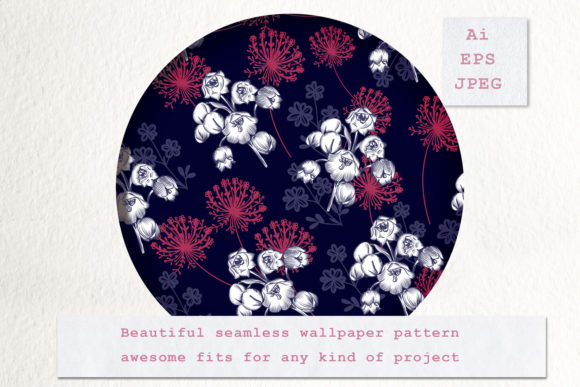
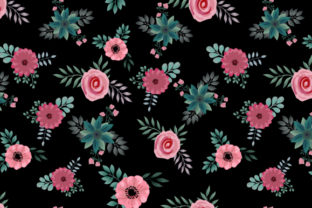
A Seamless Floral Pattern in Summer captures the vibrant energy, lush foliage, and bright color palettes associated with the warmest months of the year. Unlike standard illustrations, a seamless design repeats infinitely without visible edges or breaks, creating a continuous field of botanical motifs. This specific aesthetic often features sunflowers, hibiscus, daisies, tropical leaves, and pastel or saturated hues that evoke heat, growth, and relaxation. When you acquire this asset, you are typically receiving two distinct file formats: one vector EPS and one JPG. Understanding the interplay between these formats and the seasonal theme is crucial for maximizing the utility of the design across various creative and commercial projects.
Divergent Needs Across Creative Disciplines
The value of a summer floral repeat lies not just in its visual appeal but in its adaptability. While the image itself remains constant, the intent behind its use shifts dramatically depending on who is using it. A freelance graphic designer might prioritize the technical flexibility of the vector file for large-scale printing, while a hobbyist scrapbooker may only need the high-resolution JPG for digital collages. Recognizing these differing priorities helps in selecting the right asset and applying it effectively.
For Professional Designers and Print Specialists
Professionals working in packaging, textile design, or branding require absolute precision. For this group, the included vector EPS file is the primary asset. Vectors are mathematically defined, meaning they can be scaled to the size of a billboard or shrunk to a business card without losing a single pixel of quality. In summer-themed product lines, such as beachwear, outdoor furniture upholstery, or seasonal beverage packaging, color accuracy and line crispness are non-negotiable.
The EPS format allows experienced users to:
- Recolor elements instantly: Adjusting a sunny yellow palette to a cooler sunset orange takes seconds in Adobe Illustrator.
- Isolate motifs: Extract individual flowers to create standalone icons or logos.
- Edit composition: Move, rotate, or resize specific floral elements to fit unique die-cut shapes or garment patterns.
- Ensure print readiness: Vectors provide the cleanest output for screen printing, embroidery digitizing, and offset lithography.
For professionals, the "seamless" aspect is a technical requirement. They need to verify that the pattern tile aligns perfectly when repeated horizontally and vertically. The EPS ensures that this alignment remains intact regardless of how many times the pattern is duplicated across a production run.
Content Creators, Marketers, and Bloggers
Digital-first creators often have different constraints than print specialists. Speed and web optimization usually take precedence over infinite scalability. For social media managers, bloggers, and email marketers, the JPG file included in the package is often the workhorse. Summer campaigns are time-sensitive; when promoting a July sale or a tropical travel guide, there is rarely time to open vector software and export custom renders.
The raster JPG serves immediate needs:
- Website backgrounds: Adding texture to landing pages without heavy load times.
- Social media templates: Creating Instagram stories or Pinterest pins with a cohesive seasonal vibe.
- Digital stationery: Designing newsletters or digital planners that feel fresh and current.
- Mockups: Quickly visualizing how a summer collection will look on digital platforms.
Marketers also evaluate these patterns based on emotional resonance. A Seamless Floral Pattern in Summer must communicate warmth and optimism instantly. If the colors are too muted or the flowers too abstract, the pattern fails its marketing purpose. The JPG provides an accurate preview of the final visual impact, allowing creators to assess whether the mood aligns with their brand voice before committing to a project.
Educators, Hobbyists, and Small Business Owners
Not every user has access to professional vector editing software or extensive design training. For teachers creating summer lesson plans, crafters making personalized gifts, or small business owners designing simple signage, ease of use is the highest priority. The learning curve for manipulating EPS files can be steep, making the JPG format essential for accessibility.
However, this demographic also benefits from understanding the long-term value of the vector file. Even if they cannot edit it today, owning the EPS acts as an insurance policy. As skills grow or software becomes more accessible (through free tools like Inkscape), the vector file unlocks new possibilities. A teacher might start by using the JPG for worksheet borders but eventually learn to modify the EPS to create custom classroom decorations that match specific curriculum themes. For small business owners, having the source vector file means they won't need to repurchase the design if they decide to expand from web-only sales to physical merchandise later.
Evaluating Quality and Practical Utility
When determining if a specific Seamless Floral Pattern in Summer matches your goals, consider both the artistic execution and the technical specifications. Visual style is subjective, but functional quality is objective.
Assessing the Vector Integrity
If you intend to use the EPS file, verify its construction. High-quality summer florals should have organized layers and logical grouping. Are the petals grouped together? Is the color palette separated from the line art? Clean vector structure saves hours of untangling messy paths. Additionally, check for true seamlessness. Zoom in on the edges of the artboard; elements crossing the boundary should mirror perfectly on the opposite side. Poorly constructed vectors may appear seamless at a glance but reveal gaps or overlaps when tiled across a large surface.
Judging Raster Resolution
For the JPG component, resolution dictates versatility. A file intended for professional use should ideally be 300 DPI at a substantial physical size (e.g., 12x12 inches or larger). Low-resolution JPGs limit users to screen-only applications and result in pixelation when printed. Evaluate the color profile as well; RGB is standard for digital use, but CMYK is preferable if the JPG is intended as a direct-to-print asset for summer flyers or posters.
Matching the Asset to Your Project Type
Selecting the right summer floral design requires honest assessment of your current capabilities and project scope. Use the following framework to identify the best fit:
- Define the Output Medium: Is this strictly digital, or will it be manufactured? Digital-only projects can rely solely on the JPG. Physical products demand the EPS for production-grade results.
- Audit Your Software Access: Do you own or have access to vector editing tools? If not, ensure the JPG meets all your dimensional needs before purchasing, or plan to hire a freelancer for vector modifications.
- Consider Seasonal Longevity: Will this pattern be used for a single campaign or recurring annual content? Timeless summer florals offer better ROI for educators and businesses planning multi-year strategies, while trendy, stylized patterns suit one-off influencer collaborations.
- Evaluate Customization Needs: Does the pattern need to incorporate specific brand colors or logos? Only the vector format supports this level of integration seamlessly.
Ultimately, a Seamless Floral Pattern in Summer is more than a decorative element; it is a functional tool that bridges the gap between seasonal inspiration and tangible creation. Whether you are leveraging the precision of the EPS for textile manufacturing or utilizing the convenience of the JPG for a vibrant blog header, understanding the distinct roles of each file format ensures that your summer projects bloom with both beauty and technical excellence. By aligning the asset's capabilities with your specific audience needs and skill level, you transform a simple pattern into a versatile cornerstone of your creative workflow.